Meet Relay. Your New OS.

Meet Relay. Your New OS.

Meet Relay. Your New OS.

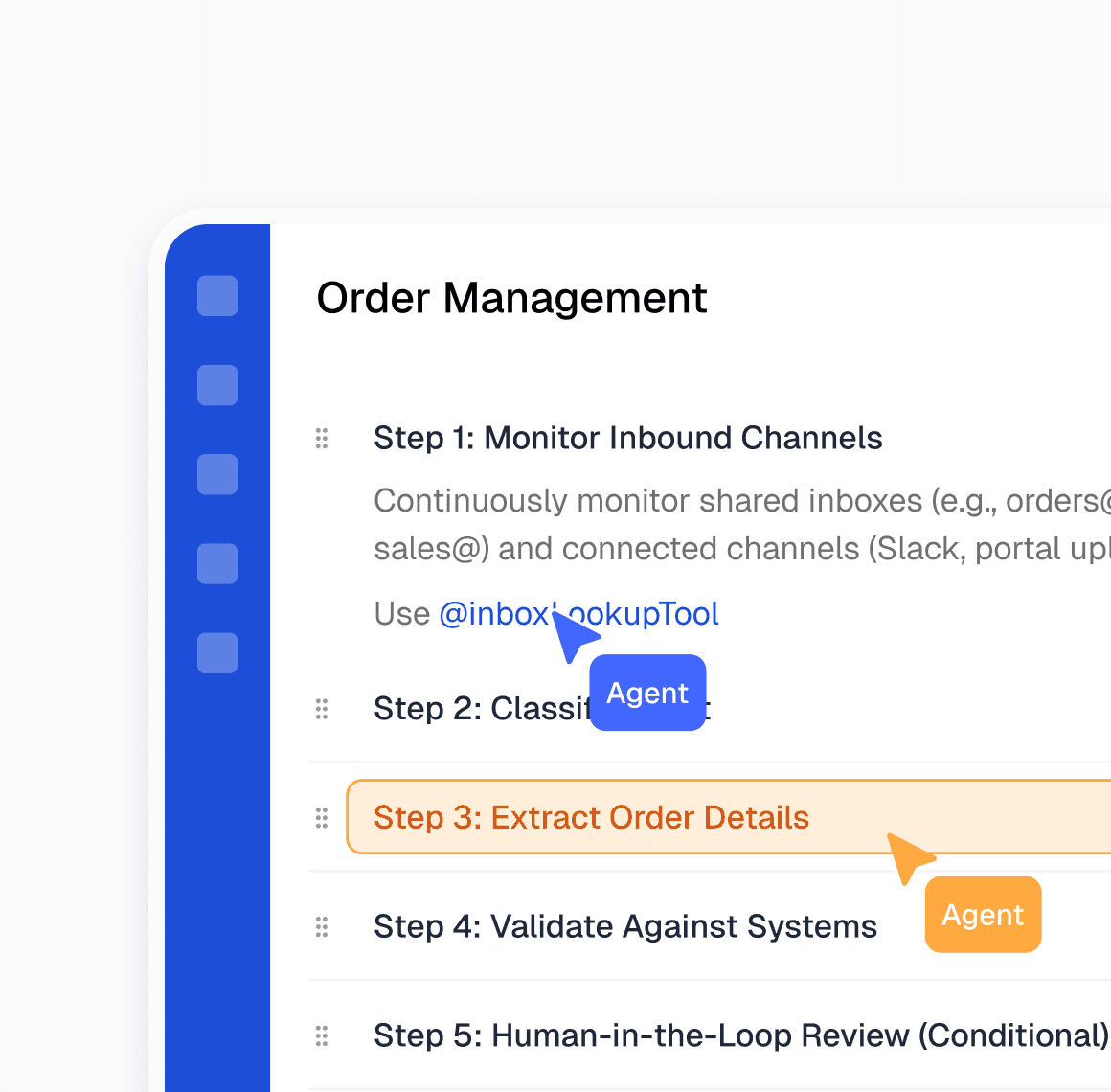
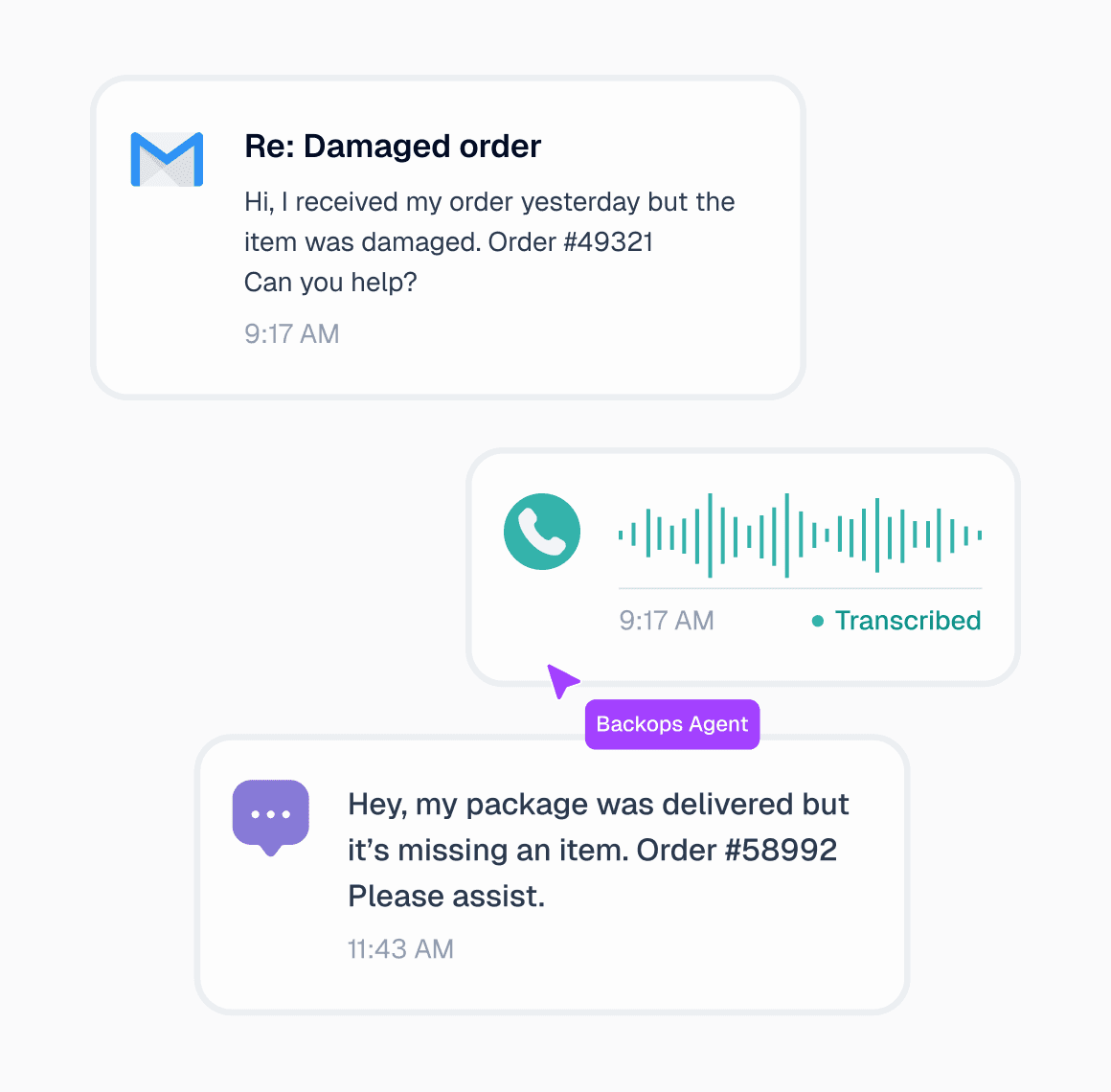
Relay is an AI-native orchestration platform that connects your internal systems, teams, and external partners into one coordinated layer of execution. It unifies information across tools and channels so work moves automatically eliminating days spent logging into systems, updating records, and chasing follow-ups.

Relay is an AI-native orchestration platform that connects your internal systems, teams, and external partners into one coordinated layer of execution. It unifies information across tools and channels so work moves automatically eliminating days spent logging into systems, updating records, and chasing follow-ups.

Schedule a Demo

BackOps AI

Analytics

Events

Agents

Settings

Ticket ID

Contact Information

Tags

Status

Created On

#12345

abc@gmail.com

Change of Address

Resolved by Relay

11:13 AM

#12344

compliance@veritacargo.com

Compliance document request

Resolved by Relay

11:13 AM

#12343

joe@northonelogistics.com

Customs Clearance

Wrong Address

Resolved by Relay

11:12 AM

#12342

john@northboundlogix.com

Claims Processing

Package Damaged

Resolved by Relay

11:11 AM

#12341

erik@logixtrac.com

Package Status

Resolved by Relay

11:11 AM

#12340

sandra-walls@bixstar.com

Reshipment

Claim Filing

Escalated to Team

11:11 AM

#12339

john@northboundlogix.com

Customs delay

Resolved by Relay

11:10 AM

#12338

sandra-walls@bixstar.com

Reshipment

Claim Filing

Escalated to Team

11:10 AM

Events

Configuration

BackOps AI

Analytics

Events

Agents

Settings

Ticket ID

Contact Information

Tags

Status

Created On

#12345

abc@gmail.com

Change of Address

Resolved by Relay

11:13 AM

#12344

compliance@veritacargo.com

Compliance document request

Resolved by Relay

11:13 AM

#12343

joe@northonelogistics.com

Customs Clearance

Wrong Address

Resolved by Relay

11:12 AM

#12342

john@northboundlogix.com

Claims Processing

Package Damaged

Resolved by Relay

11:11 AM

#12341

erik@logixtrac.com

Package Status

Resolved by Relay

11:11 AM

#12340

sandra-walls@bixstar.com

Reshipment

Claim Filing

Escalated to Team

11:11 AM

#12339

john@northboundlogix.com

Customs delay

Resolved by Relay

11:10 AM

#12338

sandra-walls@bixstar.com

Reshipment

Claim Filing

Escalated to Team

11:10 AM

Events

Configuration

BackOps AI

Analytics

Events

Agents

Settings

Ticket ID

Contact Information

Tags

Status

Created On

#12345

abc@gmail.com

Change of Address

Resolved by Relay

11:13 AM

#12344

compliance@veritacargo.com

Compliance document request

Resolved by Relay

11:13 AM

#12343

joe@northonelogistics.com

Customs Clearance

Wrong Address

Resolved by Relay

11:12 AM

#12342

john@northboundlogix.com

Claims Processing

Package Damaged

Resolved by Relay

11:11 AM

#12341

erik@logixtrac.com

Package Status

Resolved by Relay

11:11 AM

#12340

sandra-walls@bixstar.com

Reshipment

Claim Filing

Escalated to Team

11:11 AM

#12339

john@northboundlogix.com

Customs delay

Resolved by Relay

11:10 AM

#12338

sandra-walls@bixstar.com

Reshipment

Claim Filing

Escalated to Team

11:10 AM

Events

Configuration

80%

Average reduction in manual operational workload

4-6x

Faster resolution of exceptions

<3 mins

Average AI resolution vs 15–30 minutes manual

$M

Recovered revenue from claims, adjustments & errors

Operational Knowledge, Brought to Life

Operational Knowledge, Brought to Life

Operational Knowledge, Brought to Life

STEP 1

STEP 2

STEP 3

Record

Documents

View recording

4:20

4:20

Navigate to the Transportation Management System. Search for the shipment using the Shipment ID or PO number. Open the shipment details page. Review route, carrier, product type, and delivery timeline. Navigate to the telemetry or sensor data tab.
Verify recorded temperature readings, breach duration, and timestamps.

4:20

Anwar Raza

I’ve been reviewing the AI note summary logic, and I think it’s too focused on individual sentences rather than themes. For example, when someone discusses three points under the same topic, it still breaks them into separate highlights. It looks fragmented in the recap. I’d rather have it group related ideas together — maybe through semantic clustering

8:05

Cross-check thresholds. Confirm acceptable temperature range for the product and validate whether the breach exceeds SLA limits. Navigate to the ERP or WMS. Place the affected inventory on hold to prevent downstream fulfillment. Open the carrier portal. Locate the shipment and submit a temperature breach notification or incident request. Return to the internal system.

1:05

Sarah

Yeah, I see what you mean. Right now, the summarizer is built to trigger whenever it detects a transition phrase, like “next,” “also,” or “another thing.” It’s good for structure but bad for flow. We can change that by using context windows — say, two minutes of dialogue — and summarize based on meaning overlap rather than sentence boundaries. That way, it understands we’re still under the same topic.

01

Record How Work Actually Happens

Capture workflows as they’re performed in the real world across systems, emails, portals, spreadsheets, and human decisions. The recorder observes every step, including edge cases, exceptions, and judgment calls that rarely make it into documentation. This creates an accurate representation of how work truly gets done, not an idealized version of it.

STEP 1

STEP 2

STEP 3

Record

Documents

View recording

4:20

4:20

Navigate to the Transportation Management System. Search for the shipment using the Shipment ID or PO number. Open the shipment details page. Review route, carrier, product type, and delivery timeline. Navigate to the telemetry or sensor data tab.
Verify recorded temperature readings, breach duration, and timestamps.

4:20

Anwar Raza

I’ve been reviewing the AI note summary logic, and I think it’s too focused on individual sentences rather than themes. For example, when someone discusses three points under the same topic, it still breaks them into separate highlights. It looks fragmented in the recap. I’d rather have it group related ideas together — maybe through semantic clustering

8:05

Cross-check thresholds. Confirm acceptable temperature range for the product and validate whether the breach exceeds SLA limits. Navigate to the ERP or WMS. Place the affected inventory on hold to prevent downstream fulfillment. Open the carrier portal. Locate the shipment and submit a temperature breach notification or incident request. Return to the internal system.

1:05

Sarah

Yeah, I see what you mean. Right now, the summarizer is built to trigger whenever it detects a transition phrase, like “next,” “also,” or “another thing.” It’s good for structure but bad for flow. We can change that by using context windows — say, two minutes of dialogue — and summarize based on meaning overlap rather than sentence boundaries. That way, it understands we’re still under the same topic.

01

Record How Work Actually Happens

Capture workflows as they’re performed in the real world across systems, emails, portals, spreadsheets, and human decisions. The recorder observes every step, including edge cases, exceptions, and judgment calls that rarely make it into documentation. This creates an accurate representation of how work truly gets done, not an idealized version of it.

STEP 1

STEP 2

STEP 3

Record

Documents

View recording

4:20

4:20

Navigate to the Transportation Management System. Search for the shipment using the Shipment ID or PO number. Open the shipment details page. Review route, carrier, product type, and delivery timeline. Navigate to the telemetry or sensor data tab.
Verify recorded temperature readings, breach duration, and timestamps.

4:20

Anwar Raza

I’ve been reviewing the AI note summary logic, and I think it’s too focused on individual sentences rather than themes. For example, when someone discusses three points under the same topic, it still breaks them into separate highlights. It looks fragmented in the recap. I’d rather have it group related ideas together — maybe through semantic clustering

8:05

Cross-check thresholds. Confirm acceptable temperature range for the product and validate whether the breach exceeds SLA limits. Navigate to the ERP or WMS. Place the affected inventory on hold to prevent downstream fulfillment. Open the carrier portal. Locate the shipment and submit a temperature breach notification or incident request. Return to the internal system.

1:05

Sarah

Yeah, I see what you mean. Right now, the summarizer is built to trigger whenever it detects a transition phrase, like “next,” “also,” or “another thing.” It’s good for structure but bad for flow. We can change that by using context windows — say, two minutes of dialogue — and summarize based on meaning overlap rather than sentence boundaries. That way, it understands we’re still under the same topic.

01

Record How Work Actually Happens

Capture workflows as they’re performed in the real world across systems, emails, portals, spreadsheets, and human decisions. The recorder observes every step, including edge cases, exceptions, and judgment calls that rarely make it into documentation. This creates an accurate representation of how work truly gets done, not an idealized version of it.

STEP 1

STEP 2

STEP 3

Record

Documents

View recording

4:20

4:20

Navigate to the Transportation Management System. Search for the shipment using the Shipment ID or PO number. Open the shipment details page. Review route, carrier, product type, and delivery timeline. Navigate to the telemetry or sensor data tab.
Verify recorded temperature readings, breach duration, and timestamps.

4:20

Anwar Raza

I’ve been reviewing the AI note summary logic, and I think it’s too focused on individual sentences rather than themes. For example, when someone discusses three points under the same topic, it still breaks them into separate highlights. It looks fragmented in the recap. I’d rather have it group related ideas together — maybe through semantic clustering

8:05

Cross-check thresholds. Confirm acceptable temperature range for the product and validate whether the breach exceeds SLA limits. Navigate to the ERP or WMS. Place the affected inventory on hold to prevent downstream fulfillment. Open the carrier portal. Locate the shipment and submit a temperature breach notification or incident request. Return to the internal system.

1:05

Sarah

Yeah, I see what you mean. Right now, the summarizer is built to trigger whenever it detects a transition phrase, like “next,” “also,” or “another thing.” It’s good for structure but bad for flow. We can change that by using context windows — say, two minutes of dialogue — and summarize based on meaning overlap rather than sentence boundaries. That way, it understands we’re still under the same topic.

01

Record How Work Actually Happens

Capture workflows as they’re performed in the real world across systems, emails, portals, spreadsheets, and human decisions. The recorder observes every step, including edge cases, exceptions, and judgment calls that rarely make it into documentation. This creates an accurate representation of how work truly gets done, not an idealized version of it.

The AI Process Center

Across organizations, critical operational knowledge is often trapped in people’s heads or buried in outdated documentation. The AI Process Center captures how work actually happens today and turns it into a shared, living system of record - one that evolves as operations change.

A Living Source of Truth

Captured workflows become a shared reference for how work actually runs, accessible across teams and resilient to ownership changes.

Deploy

1

2

3

4

5

Continuous Evolution

As workflows change, teams can add context, modify steps, or extend processes over time without re-recording or rewriting documentation.

Operational Intelligence

Relay analyzes how work runs in practice to surface inefficiencies and opportunities, so teams don’t just preserve execution, they improve it.

Operational Intelligence

Relay analyzes how work runs in practice to surface inefficiencies and opportunities, so teams don’t just preserve execution, they improve it.

BackOps AI is certified compliant with the following industry best practice standards and frameworks

Frequently Asked Questions

If you have further questions, please reach out via our Support page.

Contact Us

What is Relay?
What is Relay?
How is Relay different from RPA or rule-based automation?
Does Relay require APIs or modern systems to work?
How do teams control what Relay can and can’t do?
How long does it take to get Relay into production?

Discover the first AI solution that makes global supply chains as seamless and intuitive as modern consumer technology.

  • Order Entry

    Analyze Inquiry

    Extract Part/Item Info

    Update ERP

  • Claims Handling

    File Carrier Claim

    Upload Supporting Docs

  • Order Status

    Analyze Inquiry

    Lookup Order in ERP

    Get Shipment Status

  • Reshipment Request

    Detect Missing Item

    Validate Order Details

    Replacement Order

  • Quote Request

    Extract Part/Service Details

    Retrieve Pricing

    Generate Quote

  • Invoice Request

    Parse Invoice Inquiry

    Retrieve Invoice from ERP

Discover the first AI solution that makes global supply chains as seamless and intuitive as modern consumer technology.

  • Order Entry

    Analyze Inquiry

    Extract Part/Item Info

    Update ERP

  • Claims Handling

    File Carrier Claim

    Upload Supporting Docs

  • Order Status

    Analyze Inquiry

    Lookup Order in ERP

    Get Shipment Status

  • Reshipment Request

    Detect Missing Item

    Validate Order Details

    Replacement Order

  • Quote Request

    Extract Part/Service Details

    Retrieve Pricing

    Generate Quote

  • Invoice Request

    Parse Invoice Inquiry

    Retrieve Invoice from ERP

Discover the first AI solution that makes global supply chains as seamless and intuitive as modern consumer technology.

  • Order Entry

    Analyze Inquiry

    Extract Part/Item Info

    Update ERP

  • Claims Handling

    File Carrier Claim

    Upload Supporting Docs

  • Order Status

    Analyze Inquiry

    Lookup Order in ERP

    Get Shipment Status

  • Reshipment Request

    Detect Missing Item

    Validate Order Details

    Replacement Order

  • Quote Request

    Extract Part/Service Details

    Retrieve Pricing

    Generate Quote

  • Invoice Request

    Parse Invoice Inquiry

    Retrieve Invoice from ERP

Based in San Francisco, California

© 2025 BackOps AI. All rights reserved.

Based in San Francisco, California

© 2025 BackOps AI. All rights reserved.

BackOps AI is certified compliant with the following industry best practice standards and frameworks

Frequently Asked Questions

If you have further questions, please reach out via our Support page.

Contact Us

What is Relay?
How is Relay different from RPA or rule-based automation?
Does Relay require APIs or modern systems to work?
How do teams control what Relay can and can’t do?
How long does it take to get Relay into production?